November 1, 2026 · By MooveTrax
What Happens When a Contactless Rental Loses Cell Signal (And How Hosts Handle It)
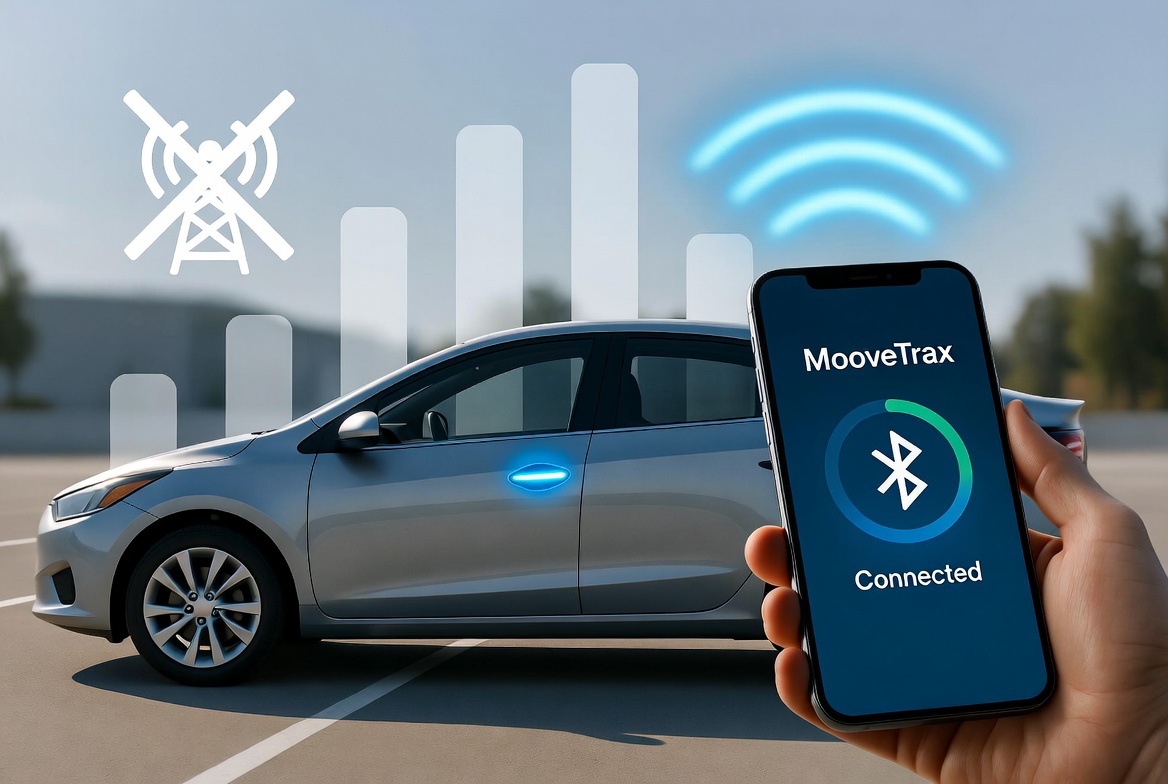
Every contactless car-sharing host eventually gets the message: "I'm standing right next to the car and the app won't unlock it." The renter is there. The car is there. The only thing missing is a cell signal -- and without it, most remote-unlock systems are useless.
If you run a Turo or Getaround-style operation on remote pickups, this failure mode isn't rare bad luck. It's a predictable consequence of how these systems work, and it's worth understanding before it strands a renter at 11 p.m. in an airport garage.
Why Remote Unlock Depends on Cellular Connectivity
Almost every GPS tracker with remote unlock works the same way: the renter (or host) taps a button in an app, the command travels over the internet to the vendor's server, and the server relays it over the cellular network to a modem inside the device installed in the car. The device then triggers the door locks or releases the kill switch.
That chain has two cellular dependencies, and both must work:
- The renter's phone needs a data connection to send the command.
- The device in the car needs its own cellular signal to receive it.
Either link failing produces the same result: a locked car and a renter who can't get in. Common failure points include:
- Parking garages. Concrete and steel attenuate cellular signal badly, and underground levels are frequently complete dead zones -- exactly where airport and city cars get parked.
- Rural and mountain areas. Coverage maps are optimistic. A cabin rental or trailhead pickup can sit in a gap for one carrier even when another has bars.
- International renters. A traveler who lands without roaming enabled or a local SIM has a working phone and zero data. The car's device may have perfect signal -- the command never leaves the renter's phone.
- Congestion and outages. Stadium events, carrier outages, and overloaded towers can delay or drop commands even in "covered" areas.
How Hosts Actually Handle It
No single fix covers every scenario, so experienced hosts layer several of these.
1. Hidden physical key or lockbox
The oldest fallback: a coded lockbox on the vehicle or nearby, with the code shared after booking. It works with zero connectivity on either side. The tradeoffs are real -- codes get shared, boxes get forced, and a physical key can defeat your kill switch workflow if you're not careful about which key goes in the box.
2. Keypad entry systems
Door-mounted or windshield keypads let the renter punch a code to unlock. Like a lockbox, the unlock itself needs no cell signal. The catch: if you rotate codes remotely between trips (which you should), the keypad hardware still needs connectivity at some point to receive the new code -- so update codes while the car has signal, not after it's parked on garage level B3.
3. Bluetooth local pairing
Some tracker hardware supports direct phone-to-device Bluetooth. Because Bluetooth is device-to-device, it bypasses the cellular network entirely: the renter's phone talks straight to the hardware in the car from a few meters away. No data plan, no roaming, no tower required. This is the cleanest answer for the "dead zone at pickup" and "international renter with no data" cases -- but see below for what it doesn't fix.
4. eSIM and roaming guidance for international renters
Many hosts now include a pre-trip message telling international guests to install a travel eSIM or confirm roaming before arrival. It costs you nothing and prevents the most common connectivity failure that has nothing to do with your car's location.
5. Pre-trip signal testing
Before committing to a pickup spot, test it: trigger a remote lock/unlock from the actual parking space, ideally on the exact level of the garage. If commands lag or fail there, move the car up a level or to open-air parking. Many hosts also check the device's last-reported connection time before every trip start.
Which Fix Solves Which Failure -- Be Precise
This is where hosts get burned by vague marketing, so let's be exact:
- Lockbox / hidden key: solves any unlock failure, but weakens security and doesn't help with kill-switch release on systems that gate ignition separately.
- Keypad: solves unlock in dead zones, as long as the current code was synced while the car had signal.
- Bluetooth pairing: solves unlock (and on some systems, kill-switch release) when the renter is physically at the car with no cell service on either side. It does not solve mid-trip tracking gaps -- if the car drives into a cellular dead zone, GPS trip data still goes dark until signal returns, because the tracker's uplink to your dashboard is cellular, and Bluetooth only reaches a few meters.
- eSIM/roaming guidance: solves the renter-side data problem only. If the car's device is the one without signal, the renter's perfect connection changes nothing.
- Signal testing: prevents the problem at pickup but can't control where the renter drives afterward.
Where MooveTrax Fits
MooveTrax's MT3V device is one implementation of the Bluetooth-pairing approach: the renter pairs their phone directly with the tracker using a PIN the host shares from the control panel, and can unlock the car with no cellular connection on either end -- no special app required for the pairing. Hosts rotate the PIN after each trip to revoke access. Combined with keypad-style code hygiene and an eSIM note in your pre-trip message, it covers the pickup-dead-zone and international-renter cases that cellular-only unlock can't. See the full tier comparison for which plans include Bluetooth backup.
Whatever hardware you run, the principle is the same: cellular remote unlock is the convenience layer, not the reliability layer. Stack at least one fallback that works when the towers don't.