Installation · KillSwitch Only
MooveTrax KS Tracker with Tracking and Killswitch Only
Do NOT swap SIM cards between devices unless directed by Support.
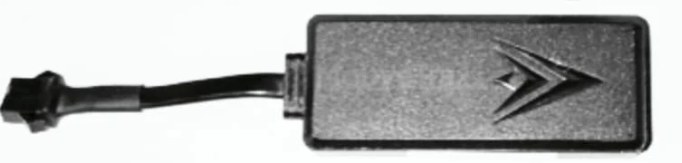
Setup
- Open the cover with the MooveTrax writing by pulling it upwards (notch in the corner).
- Insert SIM card.
- Turn on power.
The device must be hidden, but the side with the MooveTrax logo must be able to see the sky -- the device can see through plastic.
Once the light starts blinking, put the tracker somewhere it can see the sky, then start the registration process at the Installer Portal.
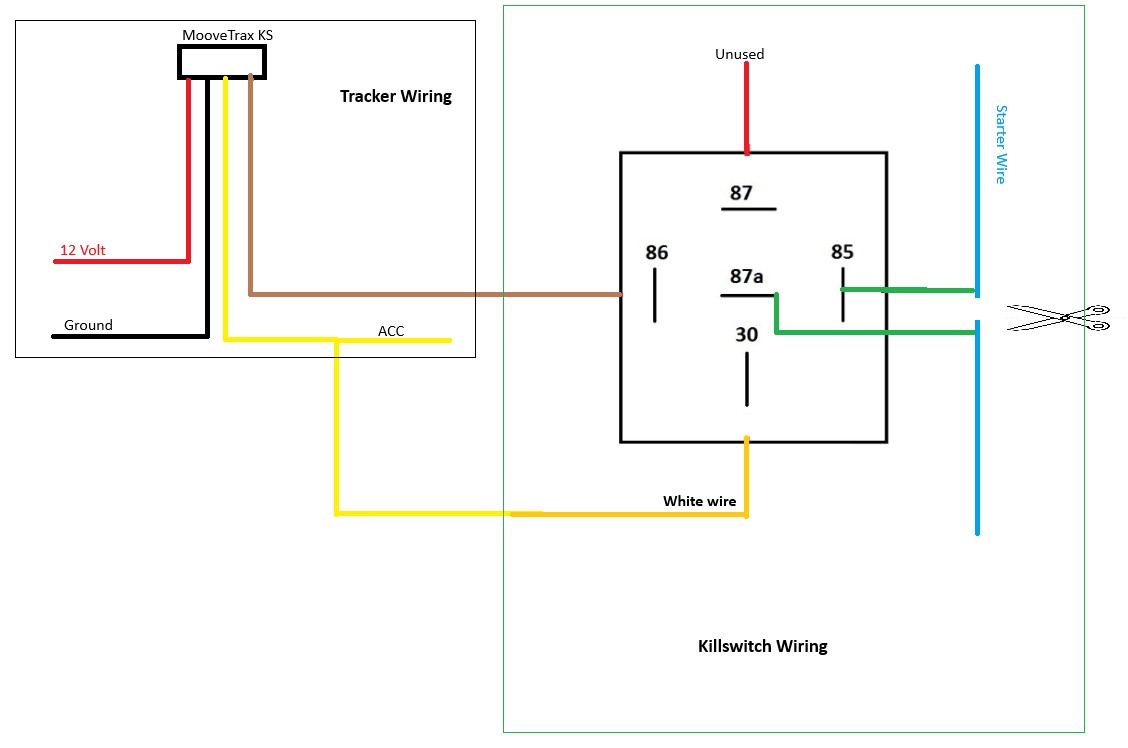
While the unit is registering (you can put that page in the background on your phone), install your wires as per the schematics below.
Wiring diagram
FAQ
Invalid ICCID when registering
Either the ICCID prefix (drop-down) or the number typed is not correct -- please recheck.